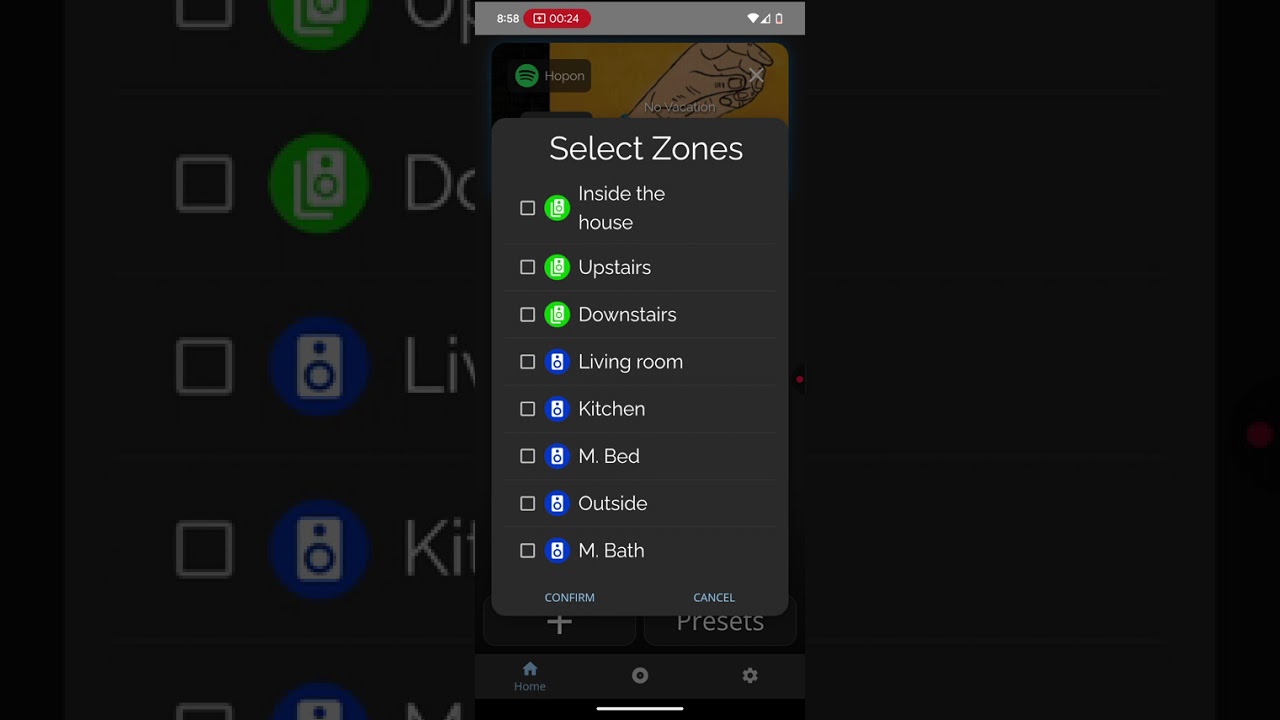
you can see this screen recording from my phone. Essentially the volume change is not propagated to the server seems like. The ui registers the change and tries to “push it” to the server just to fail couple seconds later and UI reverts to original value without the change. Are there any logs which I can inspect to see what is going on?
There’s a few things that could be happening here, in no particular order:
Your phone or network may be busy: Sometimes when you send a request it gets “clogged in the pipes” in a fashion, and the “Get current state” function completes before the “Set new state” does; This may not be the case seeing as it didn’t seem to rubber band twice in a row between tap
You may be finding our touch rejection too aggressive: A few versions ago there was an issue where it was very easy to accidentally hit the volume slider as you scrolled, often maxing out the volume settings unintentionally; as a response to this we made it so that if you move your finger too far vertically while using the slider, the change would not be recognized. To verify this, try tapping instead of sliding and see if the problem improves
Your system may be out of date: Unlikely, as I assume your unit is fairly new. There was a rubber banding issue a few versions ago where just like in the network latency potentiality your GET endpoint would poll before your POST request could complete, if you wanted to sanity check you can update to current even if you’re already on current by going to Settings → Admin Panel, there will either be an update button right there or you can go to the older versions tab and select the current version from there and then hit update
Also to answer your actual question: The spot I’d look to diagnose this would be on a desktop, going to amplipi.local, and entering the developer mode / F12 console and watching the javascript console logs as you manipulate the controls, anything that pops up red while you’re touching things is likely of note. This is also possible on some mobile browsers, but I suspect that that would be a poor experience.
There are also logs that can be accessed by going to Settings → About → Logs or just by navigating to amplipi.local:19531/entries. Note that those are wiped out whenever you reset your system, which can be changed by going to Settings → Admin Panel → Admin Settings → Persist Logs, and you can also see a more live feed if you SSH in with the credentials found on the screen in front of the unit and use journalctl -f and any other Linux tools and utilities to scan through them, though unless the request is erroring out (something that would bubble up to the javascript console) you likely won’t find anything in there.
Let me know what you’re able to find, and I’ll happily help debug this further